Free extension for Chrome, Firefox and Edge
In Loving Memory New Tab
A quiet memorial on every new tab: a photo of someone you miss, their name, their years and a few words. Stays on your device.
- Free, no account, no ads
- Nothing is uploaded
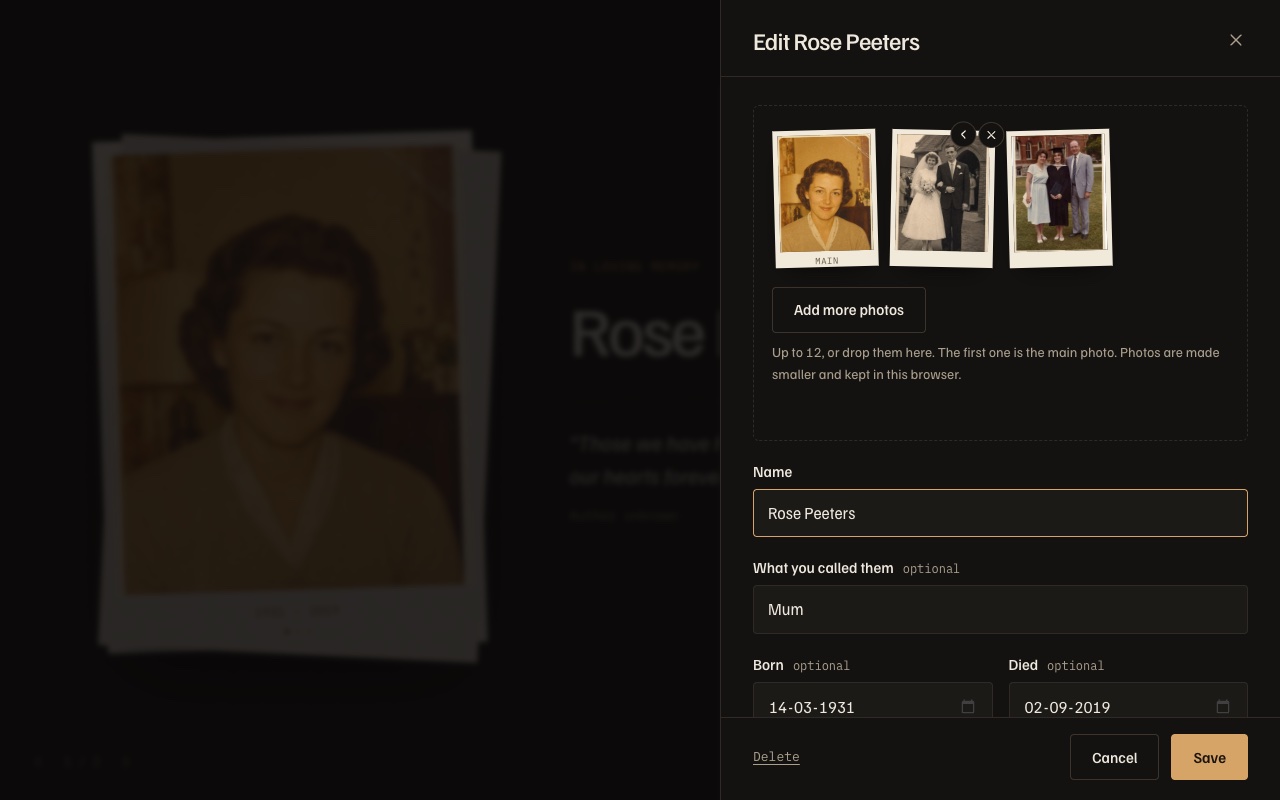
- Up to 12 photos per person
- 01
Add someone
Their name, up to 12 photos and, if you like, their dates, what you called them and something they always said.
- 02
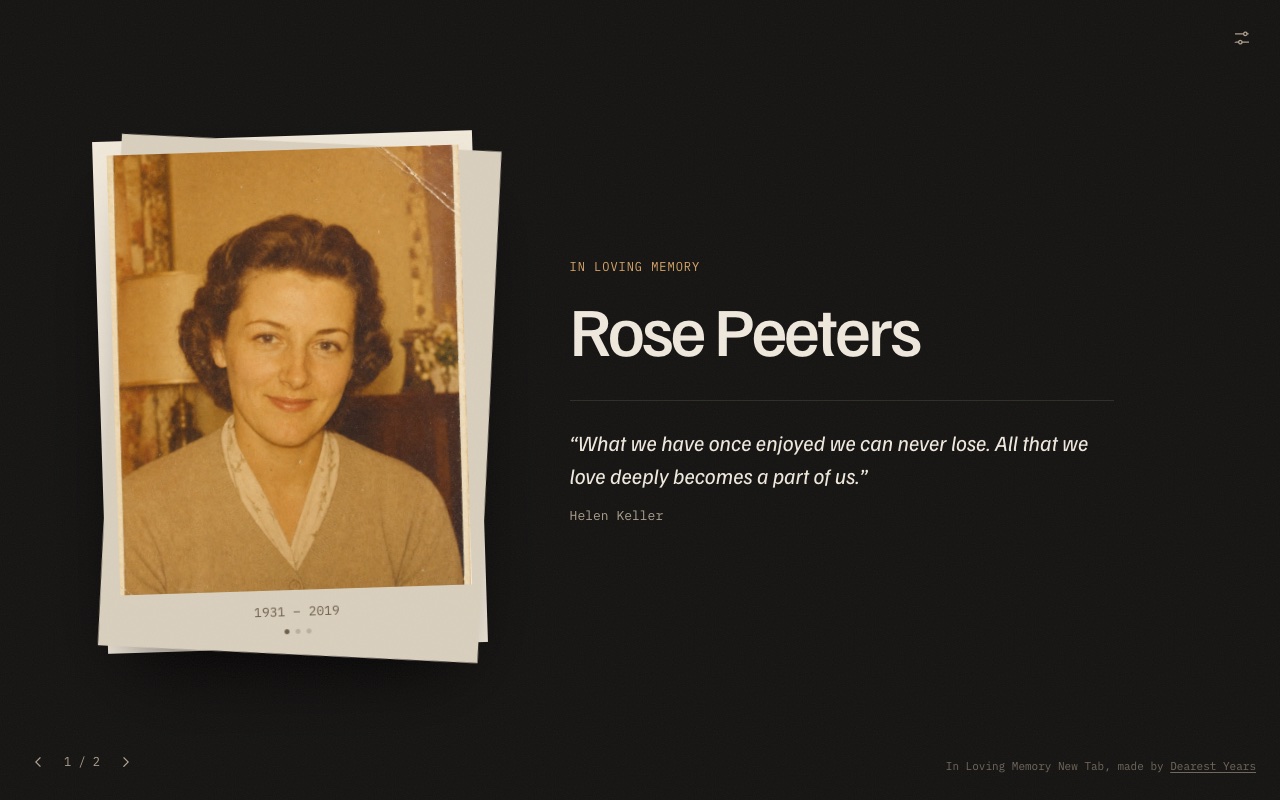
Open a new tab: there they are
Their photo as an old print, their name and their years, with a few quiet words underneath.
- 03
Several photos
Each new tab shows the next one, or choose a slow slideshow where one photo fades into the next every 10 seconds.
- 04
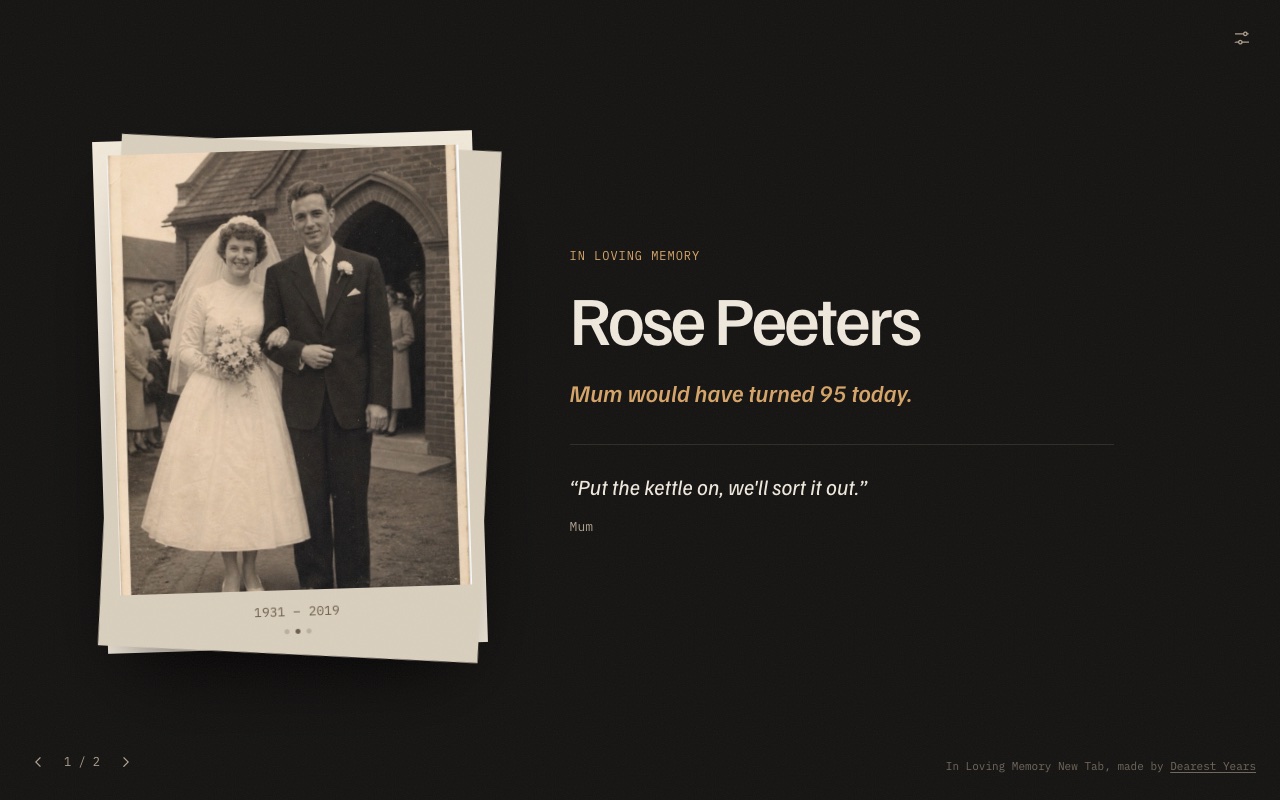
On the days that matter
On their birthday, one short line: “Mum would have turned 95 today.” On the day they died: “5 years ago today.” That person is shown all day. You can switch this off.
- 05
More than one person
Remember more than one person? They take turns, on each new tab or one per day.
- 06
The words
Their own words, or a short quote about remembering from writers such as Helen Keller, Emily Dickinson and George Eliot. Not religious. Or no words at all, if you prefer.
Private by design
Everything stays in your browser, on your computer, and nothing is uploaded. No account, no ads, no analytics: the extension makes no network requests, and it asks only for storage permissions, with no access to the websites you visit. Details in the privacy policy and the terms.
Good to know
Is it free?
Yes. No account, no ads, no analytics.
How many photos can I add?
Up to 12 photos per person.
Where are the photos stored?
Everything stays in your browser, on your computer. Nothing is uploaded. Photos are made smaller when you add them, and hidden data such as the place a photo was taken is not kept.
Can I keep a copy or use it on another computer?
Yes: save a backup file to keep your photos safe or to move them to another computer.
What can the extension access?
Only storage permissions: no access to the websites you visit. The extension makes no network requests.
Who makes it
Dearest Years, which turns old family photos into short films. The extension is separate from that and doesn’t need it. If you’re curious, see how the films work.